
What to do when a Residence sells out?
When a Residence sells out, you unpublish the Residence page and redirect the URL to its Neighborhood page.
- Navigate to VillagesOfIrvine.com/umbraco and login with your credentials
- Use the tree to select the Residence that is sold out
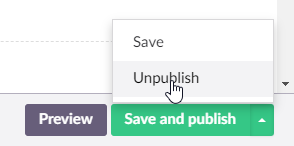
- Click the up arrow next to ‘Save and publish’

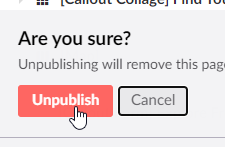
- Click ‘Unpublish’ and then ‘Unpublish’ again when it asks you to confirm
- Go to the UrlTracker and click “Create Redirect”

- Enter the URL of the unpublished Residence under ‘Old URL’
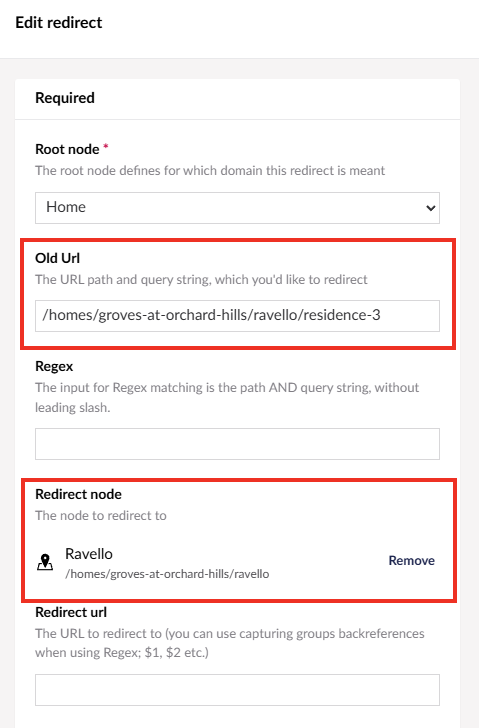
- Select the Neighborhood under ‘Redirect node’
- Make sure Redirect type is set to ‘Permanent (301)’ and ‘Force Redirect’ is checked

- Click ‘Submit’