
I don’t see my update on STMP.com
if you make edits in ShopTIC, you won’t see them in TMP until about an hour later. The reason is because there is a cron job that runs every hour to update the Stores, Restaurants and Events.
If you want to see the edits sooner, you can trigger the cron job manually so it updates right away. Here are the steps to do that.
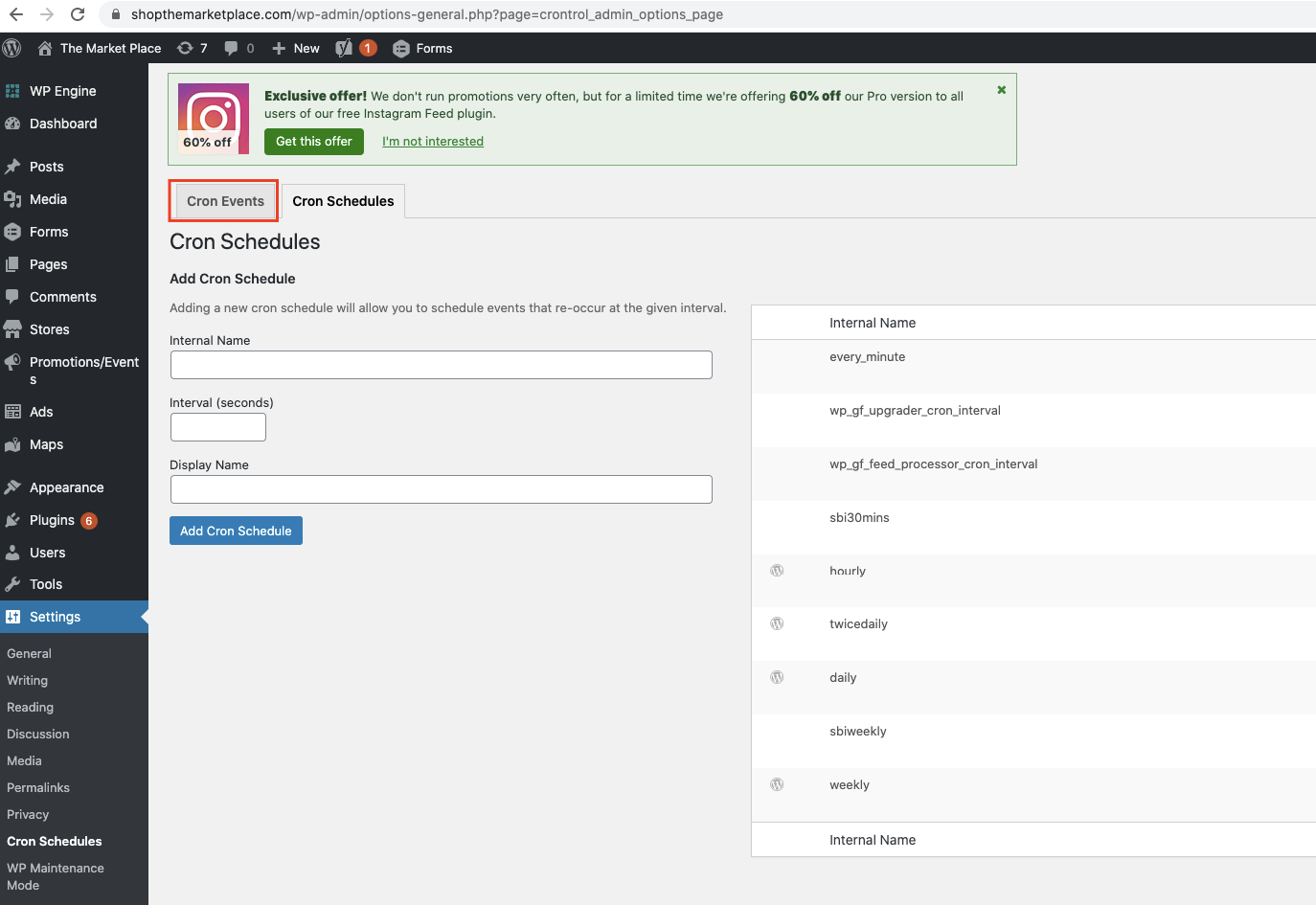
1. Log in to WP and go to Settings → Cron Schedules

2. Click on the Cron Events tag
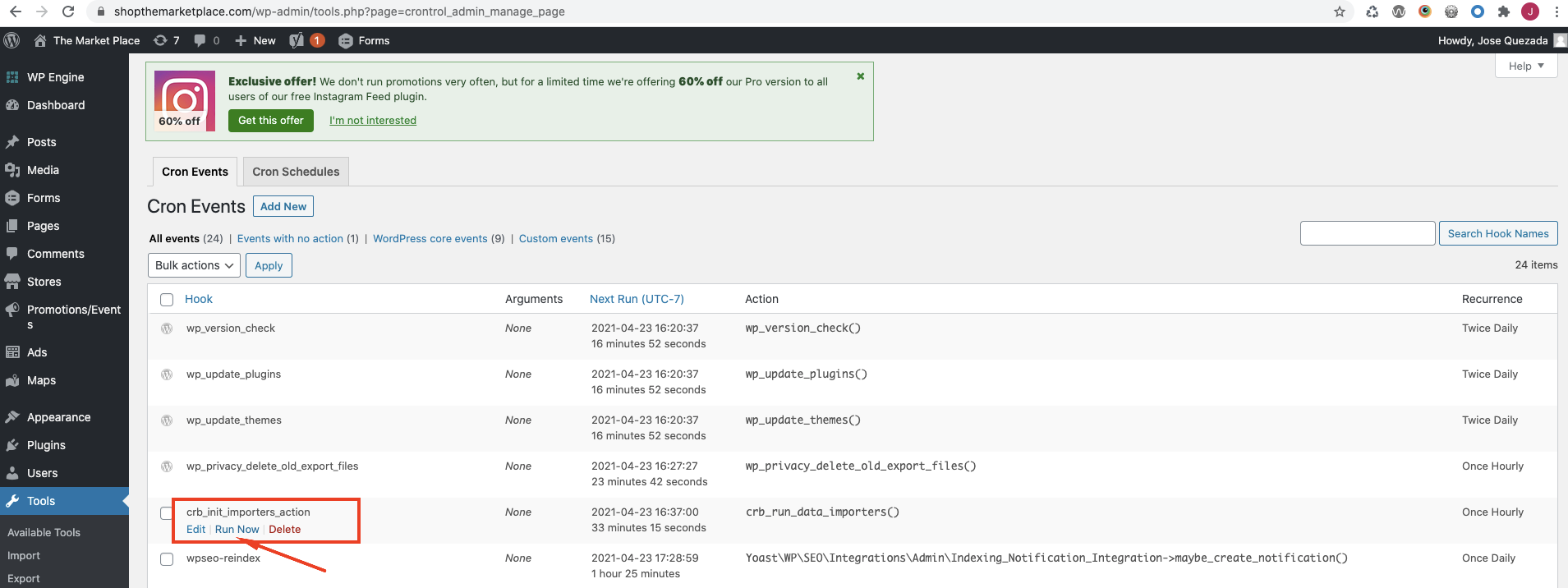
3. Look for the crb_init_importers_action Hook. If you mouse over, you’re going to see some buttons show up. Click on the “Run Now” button
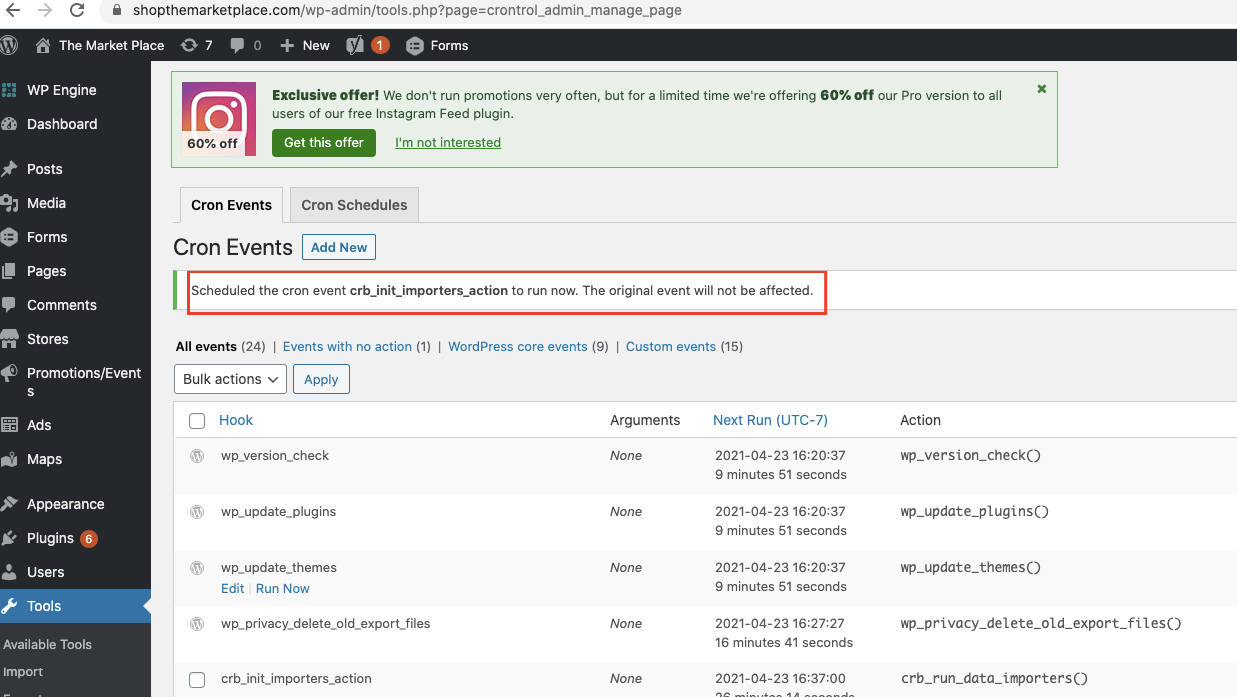
4. It’ll run and it’ll show a message
That’s it.
Note: If you don’t see the updates, you might have to click it a couple of times. The cron job updates in batches of 10 (for the events as far as I know).
Note 2: I know that ShopTIC has a cache so if you don’t see the updates right away in TMP, it could be because ShopTIC hasn’t updated, yet.